Author Archive: Ian Thackston

Skullcandy SK Pro Headphones (Review) +


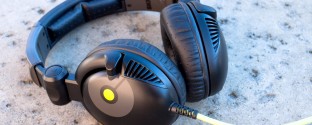
Skullcandy makes some incredibly stylish and affordable headphones which are a popular choice amongst students. When I bought my iPod, I immediately grabbed a pair of low-end, in-ear Skullcandy Ink’d buds for $10 to replace the awful Apple headphones — money well spent. More recently, Skullcandy was kind enough to lend us one of their most expensive headphones, the SK Pro, and I’ve been putting them to the test. Coming in with a positive bias, I was quite excited to see how these sound. While they get the job done, there are some things worth mentioning. Read More

RIM BlackBerry Curve 8530 (Review) 1


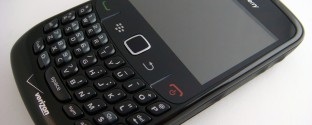
Research in Motion’s cell phones have been the business standard ever since email was introduced to the mobile market. An enormous BlackBerry clipped to your belt was a symbol for the technologically capable businessman (and woman) long before the notorious Bluetooth headset. More players have joined the smartphone game, but RIM still remains king of the business market and has successfully entered the consumer market. The BlackBerry Curve 8530 is RIM’s most recent entry for consumers and it’s available through Verizon Wireless.

BlackBerry Curve 8530 Specifications:

  • Provider: Verizon Wireless
  • Operating System: BlackBErry v5.0
  • Display: 2.5-inch 320×240 pixel TFT LCD
  • Camera: 2.0 megapixel camera
  • Music: MP3, WMA, AAC/AAC+
  • Video: MPEG4, WMV, H.263, H.264
  • Memory: 256MB internal + microSD expansion
  • Dimensions: 4.29H x 2.36W x .55D inches
  • Battery: 270 mins talk time | 252 hours stand-by
  • Connectivity: Bluetooth 2.1+ | WiFi b/g

Read More

CES 2010: Casio Press Conference +

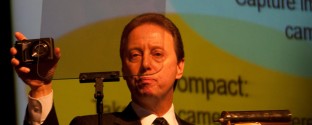
The first part of the Casio Press Conference was presented by the CEO and President Kazuo Kashio. He spoke about a new digital art frame that creates paintings from digital photos. It does so by applying filters like pastel, watercolor, graphic oil, and airbrush to the photos in the frame.

Read More

Google Goggles: Augmented Reality 3

Google Goggles: Demo
While taking a second look at the Motorola Droid, I stumbled upon one of the most interesting projects I’ve ever seen from Google Labs: Goggles. This application, available through the Android Market, allows searching Google using your Smartphone’s camera. (Android 1.6+) Simply take a picture of a book, DVD, video game, business card, logo, or similar objects. Google Goggles will process the image and bring up results based on the contents. Let’s say you are buying DVD’s and you want to see if you can find a better deal online. Whip out your Android phone and take a picture of the cover. Goggles will bring up the search results, plus the option to compare prices between other stores with Google Shopping.

DVD’s, Books, and Games
Google Goggles picked up results for Super Smash Bros. Brawl (Wii), Caddyshack (DVD), and The Color Purple by Alice Walker (Book) with ease.

Google Goggles: Super Smash
Read More

Quick Look: Android 2.0.1 on Motorola Droid 6

Verizon Motorola Droid Holidays
Last month, I had the pleasure of reviewing the Motorola Droid for Verizon Wireless.  I became so attached to it that I had a little separation anxiety when I sent it back.  Christmas came early for me this year; Verizon gave me the opportunity to check out the Droid’s improved Android OS 2.0.1. The over-the-air update is available for free even if it wasn’t available when you first purchased it.

Faster and More Responsive
Android 2.0 was by no means slow. The update did make some noticeable improvements on speed and stability. Programs open, close, and switch quicker than before.

New “Unlock” Screen
The most obvious change when you first open the Droid is in the “unlock” screen. Though the principle is the same, the interface uses drag-able “tabs” rather than the “wheel” used in 2.0.

Motorola Droid Android 2.0.1 (Left = Old, Right = New) Read More

Comparison Chart: iPhone vs. Droid 2

Into - Droid vs. iPhone
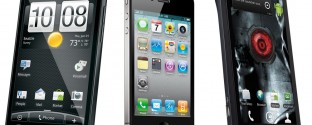
After my insanely in-depth Droid Review, everyone still kept asking the same question: “How does it compare to the iPhone?” Although reading my Skatter Tech review would answer that and even share a few thoughts about what this means for the smartphone industry, I thought a visual comparison wouldn’t hurt. So after some Bill Shrink inspiration, I came up with a Comparison Chart that covers a bit more about the technical differences between the two phones. And here it is, enjoy: Read More

Motorola Droid – Verizon (Review) 34

Motorola Droid Verizon Wireless
Last week we unboxed the upcoming Motorola Droid for Verizon Wireless and now it is my privilege to give you a full review. I am too fascinated by new technology to ignore the new wave of smart phones – it’s just that I’ve regretted going in that direction in the past. Even the ever-popular Apple iPhone, the king of the smart phone, has failed to meet my expectations in the past. My first generation iPhone lacked basic features like MMS, a removable battery, and video recording. The recent stream of so-called “iPhone-Killers” created by competitors such as HTC, LG, Motorola, and Samsung have tried to improve on Apple’s shortcomings. Unfortunately, they have failed produce a superior product and experience Apple’s success.

If there is anything you should take from that last paragraph, it should be that I am hypercritical when it comes to reviewing smart phones because I have yet to experience the recipe for a so-called “iPhone-Killer”. So when I say that the Motorola Droid is my new favorite phone, you can take me seriously. Yes, yes, all of the smart phones in this generation do just about everything short of cooking for you. But the Droid just does it better with Motorola’s feature-packed hardware, Android’s new open source operating system, and Verizon’s high quality network. I’ll explain.

Motorola Droid Angle

The Hardware
This phone is built like a tank. It weighs about an ounce more than the iPhone, but the extra weight just makes the Droid feel like it’s expensive and has a lot to offer rather than just a heavy burden. I was initially concerned about the sliding mechanism for the keyboard, which is often the first to break on phones with a similar form factor. However, this isn’t the case. The Droid is far from flimsy. Although the phone doesn’t sit flush on a flat surface; the shape of the back elevates the phone just enough so that it doesn’t vibrate off of a table or let the camera get scratched. The lip below the screen didn’t seem to serve any purpose, but I soon realized that it houses the microphone and helps the user to tell the speaker from the microphone.

I only have a few small complaints. My first complaint is with the external buttons. Don’t get me wrong, all three power, volume, and camera keys work fine, but they sit loosely in the frame, which feels as though it takes away from the quality of the build. My second complaint is with the battery compartment cover. It slides off rather easily. It even came off once when I pulled it out of a tight pocket in my backpack. I suppose that’s better than not being able to take it off at all, but it’s something to keep in mind if you like your jeans extra tight.
Read More

Wacom Bamboo Pen & Touch (Review) 2

Wacom Bamboo Pen And Touch
As someone who has become accustomed to the touchpad on the Macbook Pro, I was a little nervous going back to a tablet. The only one I’ve ever used before had an enormous body and a small work area, while the lag was just too much to be useful. I soon realized the times had changed when I first un-boxed the Wacom Bamboo Pen and Touch.

Tablet
The tablet itself is incredibly thin – about the size of a number two pencil at its thickest, with beveled edges for a more comfortable wrist-rest. The four side-buttons are large, accessible, and as I later found after installing drivers, configurable to a certain extent. An LED indicator located between the buttons lights up white when the device is on and changes to a warm orange color when the stylus is within range. I found the small red tag on the side of the device to be a little obnoxious, but it’s supposed to store your pen after use. It can easily tucked away under the device if it’s too annoying.

The drawing area is very generous with an area about 3.5 times that of my Macbook’s touchpad. The Bamboo’s matte texture that feels paper and though I was nervous to test the amount of pen pressure it could handle, I was pleasantly surprised to see that it could handle quite a bit. Read More


RSS Facebook Twitter Email

Random

Recent

Categories

Sponsors

Archives