

Sony NWZ-S610 Walkman (Review) - September 16, 2007
Skatter Tech recently got a hold of Sony’s NWZ-S610 Video Walkman to review and we have been messing around with it for a few days. We’ve got to say that Sony should be proud since they have finally taken a big step by launching Video Walkmans which are also “open format.” (Means support for most DRM-Free music formats.) If they keep up the pace, this could help them regain their market share in the portable media sector. Getting back to the review, since this was Sony’s first Walkman in the U.S. that can playback video and the first to be “open format,” we weren’t expecting too much. As we got more into the player’s features and capabilities, we were surprisingly impressed with what Sony has turned out. Just to heat things up, we’ll even go as far to say that we’d recommend this over Apple’s new iPod Nano!
Sony NWZ-S Walkman Specs:
- Type: Portable Flash Video Player
- Capacities: 2GB, 4GB, & 8GB
- Screen: 1.8-inch 320 x 240 LCD
- Music Format: AAC, MP3 & WMA
- Video Format: MP4 Only
- Special: FM Tuner w/ Presets
- Colors: Silver, Black, Pink & Red
- Connection Type: USB 2.0
- Price Range: $99-$179
The Body: - 3.5/5
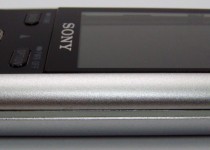
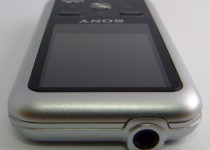
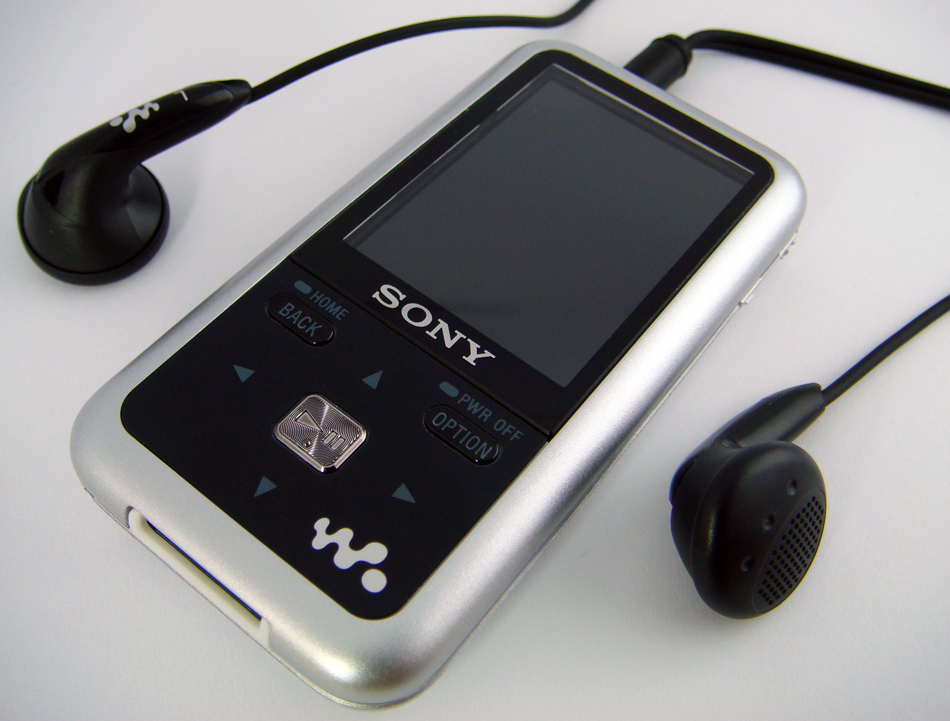
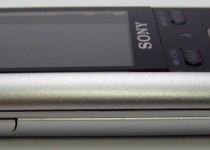
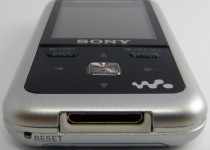
The S610’s body is simple and elegant, but not eye-catching. The unit is quite durable and wouldn’t be easy to break. The Walkman is just 3.25 inches tall, 1.7 inches wide, and .45 inches thick, making way sleeker, but thicker and taller than the new iPod Nano. On the front you’ll find the display followed by the navigation controls right below. At first we assumed the four-way commands were touch sensitive, but it ended up that all the controls on the unit are actually hard keys. The ‘back’ and ‘option’ buttons, which are awkwardly placed at the top left and top right, are used to return to the previous menu and bring up an options menu. We felt both these buttons should have been placed elsewhere, but it wasn’t a problem after some getting used to. The ‘play’ button in the center acts as the enter key. I actually prefer hard keys since it is easier to navigate the player without having to be looking at it. The hold key can be found on the left side and the volume controls are on the right. Other than that the stereo headphone jack can be found on the top of the unit while the data port for syncing and a reset pinhole are on the bottom.
The Screen: - 5/5
The 1.8-inch display, just .2 inches smaller than the Nano, is surprisingly bright and sharp enough to watch videos on. The resolution is a standard 320 x 240 and plays at 30FPS. We didn’t notice any lag or audio/video sync issues and the screen didn’t go dark when viewed at from angles as it does on many portable players. Instead of making the S610 “fat” like the new Nano, to retain the form factor the screen has instead been placed on the unit vertically. This of course means to utilize the entire display, the unit must be held sideways when watching videos. To make the unit friendly to left and right handed owners, the video and photo orientation can be set in the options to rotate to the preferred side.
Battery Life: - 5/5
Sony’s always been on top of things when it comes to battery life. My 3-year-old thumbdrive sized Walkman often lasts up to 50 hours. In the case of the S610, it supposedly lasts up to 33 hours for music playback and an amazing 9.5 hours for video playback. This of course depends on many factors including volume level, screen brightness, file sizes, and plenty more. Either way that’s quite good considering that the new iPod Nano is limited to approximately 24 hours of audio and 5 hours of video.
Media Formats: - 5/5
As we mentioned in the intro, Sony has finally gone “open format” with this Walkman and two others. They have dumped Sonic Stage, the Connect music store, and even the ATRAC format. For music, the S610 now supports MP3, AAC, WMA, and WAV all of which have to be free of DRM. The player is also compatible with Napster’s Subscription Based service and iTunes Plus tracks. As for video, the S610 will playback MP4 formats encoded in H.264/AVC and AAC. This part was a bit disappointing since they don’t exactly offer much leniency onto other formats. It even got worse when we realized that they hadn’t included any conversion tools, specify where to download samples, or to know exactly what is supported. This wasn’t an issue for us since we’ve got tools to re-encode videos, however some one-click conversion tool like the one in iTunes should be included for general consumers. We also found that all the Movie Trailers we downloaded which were encoded for iPods on iTunes worked just perfectly. Finally for the part people almost never use, photos, the unit has been limited only to JPEG.
Interface: - 4/5
We were quite pleased with the interface as not only looked fancy, but was also clean and quick. The learning curve is short, only requiring a few minutes to master. The Walkman has even got some neat features such as holding the ‘back’ key will take you back to the main menu and the ‘option’ key will power down the Walkman. Music can be surfed through by Album, Artist, Genre, Year, or in a long list of All Songs. Photos will appear in a simple folder layout just as they are copied onto the unit. Videos on the other hand will appear in a straightforward single list with thumbnails. The Now Playing screen displays standard song data plus Album Art. In addition to the standard Shuffle, Sony has added an interesting “Time Machine” Shuffle now randomly selects a year and plays songs within it. A search feature, which only works for music, can be found in the main menu, however was quite disappointing since it only lets users search for the starting alphabet of an Album, Artist or Song. The settings menu were pretty clear-cut, offering equalizer, volume limiting, and playback mode settings for music, slideshow interval settings for photos, and orientation plus brightness options for videos.
FM Radio: - 4.5/5
The quality of the built in radio was strikingly good. It has been hard wired and coded into the unit and isn’t just an extra add-on. Browsing through channels was both smooth and quick. The Walkman utilizes the plugged in headphones as an antenna to gain better signal. Users can save their favorite stations into any of the 30 available presets by simply holding down the “play” key.
Syncing Media: - 5/5
Transferring data to the NWZ-S610 was a cinch. We didn’t have to deal with any drivers or compatibility issues, both my Vista and XP machines detected and self-configured the device automatically after connecting the USB cable. Since the unit is “Play For Sure” it works with Windows Media Player 11. We had no issue copying songs over and received no errors. Since the songs are DRM-Free the unit isn’t limited to just a few “licensed machines” as iPods are. Songs can be taken from one machine and a friend can easily copy, add or remove your files. We didn’t have a chance to test the unit on a Mac OS X computer and Sony doesn’t mention anything about it. We’re going to assume that if a Mac is able to recognize the unit as a mass storage device there shouldn’t be any problems since the Walkman automatically creates Music, Picture, and Video folders, which can be seen when the drive folder is opened. When compatible media is copied into the corresponding folders, the Walkman will automatically index them after being disconnected, and the items will appear in the interface.
In The Box: - 3.5/5
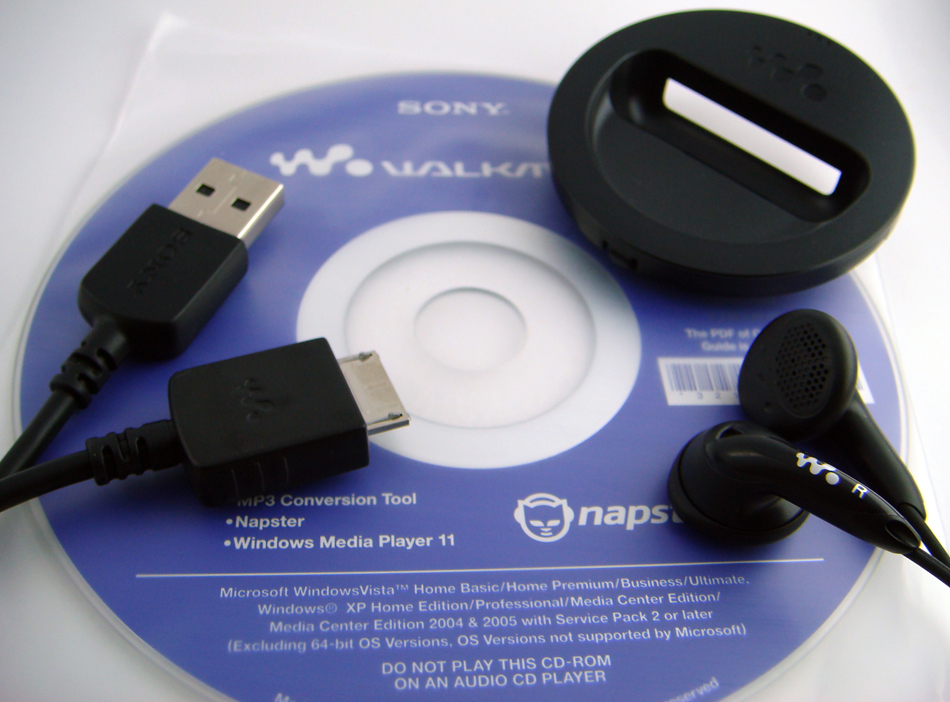
Other than the S610 Walkman, Sony bundles a pair of stereo headphones, a USB cable, a dock adapter, and a Quick Start guide. For such a great Walkman we were very disappointed to see how poor of quality the included headphones were. If you purchase this Walkman or even an iPod for that matter, we suggest upgrading to the Shure SE110 or SE210. Anyways, back to the box, a CD with Windows Media Player 11, Napster (trial), and a MP3 Conversion Tool (based off SonicStage) was also included.
Overall we give Sony’s Video Walkman a BIG THUMBS UP! Even though some work still needs to be done around the video part, I was satisfied to see that they have finally dumped DRM which was holding them back. I will bet that if they continue to keep their players open to a variety of content, they will be able to boost their sales. As we mentioned the video codecs are a bit limited, but most iPod formatted content should work. This should also be resolved possibly with a firmware update or when they launch a second generation Video Walkman. As for this one, it is available online and in stores as of this month and is very reasonably priced at $99, $129, and $179 for 2GB, 4GB, and 8GB. Exactly $20 cheaper than each of the new iPod Nanos of the corresponding size capacities. We recommend this Sony Walkman to anyone who is finally willing to give iPods a break, wants to be free from DRM, likes occasionally listen to the radio, and is looking for a cheaper unique product which everyone else doesn’t have.
Important Note: The unit which was provided by Sony and was used for review was the NZW-S616F which held 4GB and was silver.
Buy: Sony NWZ-S616 (4GB) | Link: SonyStyle.com
Tags: aac, black, drm, flash, fm, headphones, jpeg, mp3, mp4, music, photos, radio, red, silver, sony, videos, walkman, wma
posted by Sahas Katta in Hardware & Reviews
on 9/16/2007 at 10:50 PM with Comments (89) & TrackPings (20)
Search
Share This
Recent Posts
- Microsoft Updates The Zune
- Logitech MX 1100 Mouse Reviewed
- Acer Aspire One Review
- Nvision 08: A Future Of 3D Gaming
- Nvision 08: Audi Navigation
- Nvision 2008: Keynote
- Lenovo Taking IdeaPad S10 Pre-Orders
- MS Office Ultimate Deal Is Back!
- The Official PS3 Wireless Keypad
- Sony Unveils The PSP-3000
Categories
- News
- Site News
- Software
- Tips & Tweaks
- Deals
- Podcasts
- Hacking
- Reviews
- Business
- Entertainment
- Hardware
- Gaming
- Autos
- Mobile
- Internet
- Accessories
Archives
- September 2008
- August 2008
- July 2008
- June 2008
- May 2008
- April 2008
- March 2008
- February 2008
- January 2008
- December 2007
- November 2007
- October 2007
- View All +
Subscribe


Write a Comment.
89 comments.
Pages: « 1 2 3 4 [5] Show All
Peter says
Dendoc: Thank you for suggesting the Any Converter. While the Custom, H.264 format does not seem to be acceptable, the “Mobile MP4″ (MPEG-4) format is accepted by the Sony Media Manager v1.1 (no barred-circle). Unfortunately, the Media Manager insists the Walkman (NWZ-S615F) is not connected and while Windows Explorer has no problem copying music to the device, it still refuses to copy video in any format. Any further ideas would be greatly appreciated.
Peter says
All: Thank you. Your many comments provided the clues that solved my video loading issues. For me, success required “Any Video Converter” in “Mobile Phone MPEG-4 Movie” mode, and upgrading from “Windows Media Player 10″ to “Windows Media Player 11″. The tiny Walkman screen has surprising resolution. Pretty nice, now that I finally got it working!
madsony says
player is good in the area where it is bought it doesn’t work in other countries
wetnap says
jodix free ipod video converter works. most software that can convert an mp4 mpeg4 acc file will work. you can get away with 256-384kbps video quite well, audio is better with atleast 128kbps. the problem is trying to get h264 working. its so picky, i haven’t been able to get any to work so far. SUPER supposedly works, but is a very slow encoder. xilisoft and jodix and handbrake all encode much faster, but i only use them in mpeg4 mode.
wetnap says
handbrake h264 settings. paste into advanced tab window
level=13:bframes=0:cabac=0
it works
media coder also works for h264 encoding, similar settings required.
Rhea says
I got one a few months ago and I still don’t understand how to put videos and pictures on it. I tried to download that media manager and it didn’t help. I was wondering if someone could explain to me how to get the videos and pictures as I am not good with these things.
Infernal says
My computer won’t recognize this as a Mass Storage device, and I don’t know how to fix that. I have WindowsXP with SP3, and it’s a desktop machine. Oddly enough, a laptop with WindowsXP SP2 was able to recognize it as a Mass Storage, so I could drag&drop, but not my computer?? I can’t put movies on because of this, too. I’m not sure what to do, any help is appreciated.
Duaa says
i went through a lot of troubleto buy this player
i love it sooo much
but i got it 4anbout 4 months now and i cant seem to get any vidoes in it
i tried everything
i dont want to regret buying it
please tell me who to get vidoes in it
xxx and i will be thankfull
awok says
huh..finally i’m able to transfer the videos..thanks to all..u have to upgrade ur windows media player to 11 first..n convert the videos by using the any video converter
Infernal says
Here’s a really helpful answer on how to get your computer to recognize the NWZ-S616 as a Mass Storage Device instead of an MTP, so then you can just drag & drop your files and movies without having to go through WMP.
This WORKED for me, and it’s simple, which is why I’m pasting it here.
“I first found that when I plugged my player into my computer it registered it as a MTP (Media Transfer Protocol) device and in turn never showed up as a storage device on my computer. I fixed this by going into my Control Panel -> System Icon -> Hardware Tab -> Device Manager button.
Clicking on the “System Devices” tab should have “Walkman” or MTP device. Right click on it and go to properties, now before doing anything it should say “Location — —— Location 0 (Walkman)” if not try unplugging the walkman and see if the MTP device you’re looking at is removed from the list, just to make sure it’s the right device we’re looking for.
If you’ve confirmed it’s the Walkman, click on the “Driver tab” and click on “Update Driver…”. Then click on the “Install from a list or a specific location (Advanced)” option and click “Next”. Now select the “Don’t search. I will choose the driver to install.” and click next. It should now bring up 2 driver choices, one being “MTP Device” and the other “USB Mass Storage Device”. Select the USB option and select next, it will then install your walkman as a USB storage device and after that’s done. It should be a matter of unplugging and plugging the Walkman back in and it should show up on your storage options in “My Computer”"
Infernal says
Oh, as for Videos - I use Super (C) from http://www.erightsoft.com/SUPER.html
It’s a bit slow in Encoding, but it works for me. I had no troubles getting a full 88minute movie on it.
I confirm these steps work, as posted by a user above, though for the particular movie I had, I had to click “Stretch It” for it to show up decently on my NWZ-S616 screen. You may or may not have to do this. If it shows up squished and the people look “long”, try encoding again and click Stretch It.
1. Output Container: mp4
2. Output Video Codec: H.264/AVC
3. Output Audio Codec: AAC
Video Settings:
Video Scale Size: 320:240
Aspect: 4:3
Frame/Sec: 30
Bitrate kbps: 768
Audio Settings:
Sampling Freq: 44100
Channels: 2
Bitrate kbps: 128
AudioStream: default
Sara says
Please help. I bought the NWZ-S616F 2 weeks ago and my windows explorer has recognized it up until tonight. I plugged it in to add some more music and it does not appear in explorer. It did charge so I know that is working but does anybody know why I can no longer see it or how I can fix it? Thanks
Ivona says
Hey, Infernal…thank you so much for leaving those detailed instructions for making windows explorer see my Sony walkman…I got it today and the excitement was spoiled by this minor detail of my walkman not being recognized…but there you were to help…THANKS again!
desaray says
how can i put videos on my walkman everytime i try its says an error has occured
Kitten7989 says
This thing is a piece of garbage. It’s not even five months old and it won’t power on. It pops up the start up screen but doesn’t show anything. Contacted support and tried reseting it seven times and so on. Only parts are covered, not labor. It will cost more for me to have it fixed than it was to buy. This is the second ripoff I had from sony. REad their warranty before purchase. Buyer beware….sony products break, and it’s more expensive to fix them than to buy them. Don’t make my mistake by buying one of these. I”m off to buy an ipod or something else.
Noxiious says
Have a NWZ-S615F. I put songs onto it and it played well BUT now it says I need Compatible software to play my music. SOMEONE HELP ME!!!!!
Vlad says
Infernal says
Here’s a really helpful answer on how to get your computer to recognize the NWZ-S616 as a Mass Storage Device instead of an MTP, so then you can just drag & drop your files and movies without having to go through WMP.
This WORKED for me, and it’s simple, which is why I’m pasting it here.
“I first found that when I plugged my player into my computer it registered it as a MTP (Media Transfer Protocol) device and in turn never showed up as a storage device on my computer. I fixed this by going into my Control Panel -> System Icon -> Hardware Tab -> Device Manager button.
Clicking on the “System Devices” tab should have “Walkman” or MTP device. Right click on it and go to properties, now before doing anything it should say “Location — —— Location 0 (Walkman)” if not try unplugging the walkman and see if the MTP device you’re looking at is removed from the list, just to make sure it’s the right device we’re looking for.
If you’ve confirmed it’s the Walkman, click on the “Driver tab” and click on “Update Driver…”. Then click on the “Install from a list or a specific location (Advanced)” option and click “Next”. Now select the “Don’t search. I will choose the driver to install.” and click next. It should now bring up 2 driver choices, one being “MTP Device” and the other “USB Mass Storage Device”. Select the USB option and select next, it will then install your walkman as a USB storage device and after that’s done. It should be a matter of unplugging and plugging the Walkman back in and it should show up on your storage options in “My Computer””
THANK YOU THANK YOU THANK YOU THANK YOU THANK YOU THANK YOUTHANK YOU THANK YOU THANK YOU
chris says
I’m totally satisfied with the 4 GB version, videos have to be converted to mp4 format, but there are more versions of this file, iPod mp4 is not what you need. anyway, i didn’t managed to find a good free converter, so I’m still searching. But it isn’t the fault of the player…
Alphaoone says
Thanks Infernal. The “USB Mass Storage Device” driver option fixed my Sony nwz-s615f connecting. You Rock
shekhar says
Infernal bro thank you so much for your comments, really helped me in making it work :) god bless ya
Infernal says
Chris - a good, free conversion program is Super: http://www.erightsoft.com/SUPER.html
It can be a bit slow, but it does a very good job and has a lot of options. If you’re unsure if what settings to use, it’s been mentioned on either the first or second page of these comments :)
Others - You’re more than welcome :) I’m glad you were able to find the information, and that it helped!
salma says
please some one help me look my walkman worked perfectly before until now and it said some thing about music and it was blue like when press reset and i left it in the compute for a long time it wasnt charginn or nyhthing and it worked i was so happy and it was overtaken by my sadness because i plugged the charger in this time my walkman workls but very low battery and it doesnt pop up in the computer im not sure if it is because of my new windows sp3 plase some 1 help me i have to give this for a present 2 sum i love the most in the world and there leaving
satisfier says
Dear holders, I have it and solved all problems which are in discussion. Just read all INFERNAL help, it works! By XP, go to Start-Control Panels-Administrative tools-Computer Management-Device manager (small icon of computer on your left hand side) tab should have “Walkman” or MTP device. Right click on it and go to properties, now before doing anything it should say “Location — —— Location 0 (Walkman)” if not try unplugging the walkman and see if the MTP device you’re looking at is removed from the list, just to make sure it’s the right device we’re looking for.If you’ve confirmed it’s the Walkman, click on the “Driver tab” and click on “Update Driver…”. Then click on the “Install from a list or a specific location (Advanced)” option and click “Next”. Now select the “Don’t search. I will choose the driver to install.” and click next. It should now bring up 2 driver choices, one being “MTP Device” and the other “USB Mass Storage Device”. Select the USB option and select next, it will then install your walkman as a USB storage device and after that’s done. It should be a matter of unplugging and plugging the Walkman back in and it should show up on your storage options in “My Computer””. Holla for original uploader Inferno!!!
lino says
me mandaron un mp4 de japon y hasta ahora no se como se vaja video todo esta en katakana y kanyi como hago para traducirlo o quien me da lo pasa el manuel ami correo gracias
yozzer says
thanks alot really helped alot
Pages: « 1 2 3 4 [5] Show All
20 trackback / pingbacks:
xps-hosting.com » Blog Archive » Sony Walkman NWZ-S610 review roundup (September 19, 2007)Websites Reviewer » Blog Archive » Sony Walkman NWZ-S610 review roundup (September 19, 2007)
Your Gadget Guide » Blog Archive » Sony Walkman NWZ-S610 review roundup (September 19, 2007)
Sony Walkman NWZ-S610 review roundup | Redslush.com (September 19, 2007)
Hostpundit - Hosting and Gadgets » Blog Archive » Sony Walkman NWZ-S610 review roundup (September 19, 2007)
Planeta IPLegal » Sony Walkman NWZ-S610 review roundup (September 19, 2007)
BlogTrage » Sony Walkman NWZ-S610 review roundup (September 19, 2007)
My Geek News: All the latest news, just for Geeks! (September 19, 2007)
Sony Walkman NWZ-S610 review roundup · ringtel dot net (September 19, 2007)
» Sony Walkman NWZ-S610 review roundup Tech Web Daily: Just another Tech News Blog (September 19, 2007)
Apple iPhone Blog » Sony Walkman NWZ-S610 review roundup (September 19, 2007)
Wired iPod » Blog Archive » Sony Walkman NWZ-S610 review roundup (September 19, 2007)
BlogNerds.com » Blog Archive » Sony Walkman NWZ-S610 review roundup (September 19, 2007)
Girls Love Gadgets | Sony Walkman NWZ-S610 review roundup (September 19, 2007)
Sony Walkman NWZ-S610 review roundup | Start Tech News (September 19, 2007)
Sony Walkman NWZ-S610 review roundup | Latest Gadget & Tech News (September 19, 2007)
Sony Walkman NWZ-S610 review roundup (September 19, 2007)
Tech|noob (September 19, 2007)
GadgetsPlanet.info » Sony Walkman NWZ-S610 review roundup (September 19, 2007)
Sony Walkman NWZ-S610 评测总整理 by 互联资讯 (September 20, 2007)
Leave a Comment