


Stream iTunes To PSP, Part 2 144

Stream iTunes To PSP, Part 2

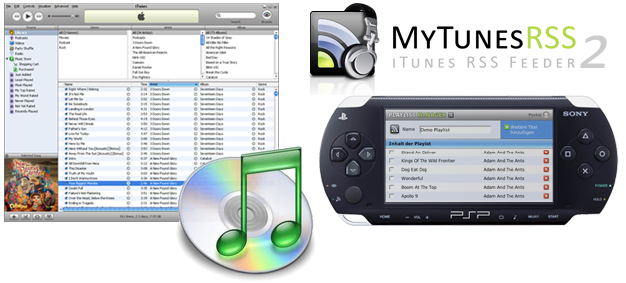
A few months ago we published an article entitled How To: “Stream Your iTunes Library To PSP“. The article, which demonstrated how to share music from your windows machine to your PlayStation Portable (PSP), became an extreme hit. Today we are here to demonstrate a new alternative, which is in fact more powerful and functions smoothly on both Windows and Macintosh machines. After reading through this tutorial, you will be able to easily stream as much DRM-Free music as you want from any networked computer to your Playstation Portable (PSP) via WiFi.

The software we are using today, MyTunesRSS, has been developed by our friends at Codewave Software. This new MyTunesRSS software is completely free and offers even more features than the software used in our previous tutorial. To use this application you will need the items mentioned below. (MyTunesRSS is currently on v2.1)

To get started you’ll need the following:

  • PSP with Firmware 2.60/2.70 or Above
  • Networked XP Pro/Home or Mac OS X
  • Java Runtime 1.5 or Above Installed
  • WiFi (802.11b-compatible) Network Router
  • Apple iTunes v6.0.4 or Above Installed
  • DRM-Free Songs In The iTunes Library

The 3-Setup Procedure:

Windows:
1) Download MyTunesRSSwin.zip to your desktop. Unzip (extract) all contents into a new folder. Open it folder, but do not modify its contents.
2) Press on the on the MyTunesRSS Icon and wait until it starts up.
3) Under General -> iTunes browse to the location of your “iTunes Music Library.xml”. (Usually located in My Documents -> My Music -> iTunes.)

Macintosh:
1) Download MyTunesRSSmac.zip. Extract all contents into a new folder.
2) Open the folder, press on MyTunesRSS, and wait for it to start up.
3) Under General -> iTunes browse to the location of your “iTunes Music Library.xml”. (This is normally located in Music -> iTunes)

Final Setup Steps (mac and win):
1) Choose a port number such as “1234″ and enter any password.
2) Under Options -> Automation, check Auto Update Database (10 mins).
3) Open any standard browser (IE/Safari/Firefox) and enter either http://localhost:[port number] (ex: http://localhost:1234) or the URL displayed on the General Tab. A MyTunesRSS page should appear shortly.

Note: If you successfully accomplished the above (without any errors), you may proceed to the next step. If you do run into errors make sure you meet the requirements and are using the correct software for your OS. If the MyTunesRSS page didn’t appear, open the port you choose previously and give MyTunesRSS permission to access the web in your firewall settings.

PSP Setup Procedure:
1) PSP should already be setup on your LAN and should be able to access the web, if so start up your PSP and go to Network -> Internet Browser.
2) Enter “http://[IP Address]:[Port Number]” into your PSP Browser. “IP Address” represents the IP of the machine running the MyTunesRSS server and the “Port Number” is the number you selected during setup. URL can also be found under “General” in MyTunesRSS. (ex: http://192.168.1.101:1234)
3) Once the MyTunesRSS page appears, enter your password and login.
4) Browse around and select the RSS icon on any playlist/album/artist and say “Yes” to “Add This Channel” to your PSP’s RSS Channel.
5) Close your PSP browser and go to Network -> RSS Channel. Select an item you had added to your library and enjoy the music!

Note: If the previous procedure didn’t work, make sure you followed all the instructions properly and that your firewall settings are properly configured. Also note that this will not work for music purchased on the iTunes Music Store and will only work on any DRM-free music. This tutorial only demonstrated how to access your music on your LAN, if you wish to access it from “hotspots” or elsewhere you will need to do a little port forwarding in your router.

Downloads: MyTunesRSS (by CodeWave) | Support Forum
Links: Stream iTunes Library To PSP, Pt. 1 | Digg This Article

Blogger Delicious Digg Email Facebook LinkedIn MySpace Reddit StumbleUpon Twitter Yahoo! Buzz

144 Comments

Write A Comment

tsunami99 says:

Pure genius. Pass on my thanks to these guys.
Just before buying my PSP I was looking for an inexpensive way to get all my music off my PC and into my loungeroom/kitchen without running wires throughout these house, this is just perfect.

PSPMadMan says:

Wow! This worked the first time I tried. I’m on an OS X Mac, and I’m again blown away by the power. going to play with the video podcasts I’ve downloaded from iTunes. See if I can get the video to stream.

Pauly says:

Cheers, giving this a go today!

tsunami99 says:

Okay, so now I have a question. Does anybody now of a program that would do virtually the same as the RSS/podcast player on the PSP, but that can run on a PC/Mac. This seems to me to be the best way for other people on my network to access mucic on my PC (Too lazy to network, plus don’t neccesarily want other people getting into my files), but every RSS reader I’ve tried only brings up the HTML/XML (not sure which) page containing the playlist, rather than playing the tracks sequentially.
Thanks in advance if anyone can help me.

The easiest way for PC/Mac clients would be to simply use the M3U playlists available from MyTunesRSS as well. Just click the other icon next to the RSS feed icon (if enabled in the setting of the web interface). These playlists are recognized by most players like Windows Media Player, WinAmp, VLC and even iTunes. This is one of the major new features of version 2.x besides the library browser.

If you really want RSS feeds (only useful if you need them to update automatically in my opinion) please visit our forum (http://board.codewave.de) since there has been some discussion on that topic.

Best regards
Michael Descher

Megadaisy says:

This is brilliant – browsing the library was surprisingly fast and a superb additional feature. Thankyou very much for this.

Polishpride says:

If psp 1.50 users want to listen to their music on their psp from their PC they can also just use a great program called ir shell. The newest version has an application that allows you to view and use files off your computer. It is also much easier to use. You just have to place a program in the directory of I-tunes and just configure the settings on your psp.

fastb@ll says:

Hi, I have a question. Is it possible with this program or another software to use the psp as a remote control? What I mean is, is it possible to use the psp to connect to the computer (via LAN), which is connected to the Home System (receiver), search in the music libary (which is on the computer not on the psp) and choose a song which will be played on the Home System (receiver). I think it would be cool to use the psp as a remote control for the music libary on your computer. Thanks for helping me!

I don’t know if there is such a program, but MyTunesRSS cannot do it.

Megadaisy says:

I do this using Winamp and running the winamp web interface. Then I just connect to the web interface using the PSP web browser. It took a bit of fiddlling to get it just right so that the winamp web interface fits nicely on the screen of the PSP but it works a treat.

I dont know if there is a web interface available for iTunes though… I would have thought that there is.

draper says:

Anybody else having buffering problems? Songs seem to skip about every 15 – 20 seconds for buffering.

This seems to be a problem with the PSP. Maybe they use rather small buffers and don’t fetch data soon enough or something. I never saw this problem when streaming to PC clients, even over the internet. If anybody comes up with a solution to this or some thought on what the problem might be, I would be happy to hear about it.

JMZ says:

umm when i try to save the somgs to my library it downloads them perfectly but when it gets to about the 5th song, then it sasys download complete. r u telling me i have to download each song individually???

sahas says:

when it gets to about the 5th song, it says download complete

This is actually a PSP setting and has nothing to do with the program. If you go to [Settings] -> [RSS Channel Settings] -> [Item Save Options] this will now let you set how many items to download at one time. I’m guessing yours is currently 5, just set it to “All Items” and your done!

brizzo says:

“Is it possible with this program or another software to use the psp as a remote control?”

http://www.coverbuddy.com/

yo says:

do you have to leave the program on? and can u listen to the music from a differnt area of wireless internet?

raymond says:

good job guys this is a big help for me

psp&maskalin says:

this is so ******* cool i love you guys.
o.k. i have to run to tell some people about this great upgrade to the pcp… sory psp…

AJP says:

How do you forward your ports on a dlink router so that you can do this ANYWHERE?

mrcdan says:

http://portforward.com/english/applications/port_forwarding/iTunes/iTunesindex.htm
To forward, just choose your router, and instead of port 3689, use the port for mytunes (default 8080) Then i suggest you go to http://www.no-ip.com sign up there and get a dynamic dns and be sure to get the client.

F.Breezy says:

How can I publish my iTunes and use access them anywhere I want using a Netgear Router I know about the port Forwarding and things but I cant get it to work I am using MAC OSX 10.4.6 I don’t know if its a firewall or what? Also can I get burn movies that are converted over the server too?

George says:

I am worried that this program will make my library avalible to others with the right information. Could someone please tell me how this works and if it’s 100% safe. Thanks.

To access your library, one needs the password you supply in the settings of MyTunesRSS. And if you do not let your router forward traffic on the specified port to MyTunesRSS, it won’t be reachable from the internet at all.

Mike says:

Why will it not allow you to view the videos through RSS or download them to your PSP?

2Yung2Die2Day says:

it works kinda i got the songz in RSS thing is when i try to play them it pops up and sez “A server error has occurred. (HTTP Status Code: 500)” haw do i fix it?

Aleksey says:

Awesome, much better than the first one. I would love if it would also have features where you can have a monitor to watch the IPs that are connected to you listening/downloading music and you’d be able to drop ones you want to drop, also a speed monitor.

The kid is nice says:

man this program is the best ive tried everything and nothing worked but this did teh job…thanbks guys keep up teh good work..peace

Aleksey, most of these features are already nearly done for the next version. For such comments, feature requests and support, please also consider using our forums at http://board.codewave.de.

RK04 says:

OK new problem, my psp got the rss channels added and I can see everything thats on my playlists but when I go to play them on my psp it says a server error has occured (http status code:500) Please help I really want to use this! Thanks

mrcdan says:

Did you unblock all the ports that are needed?

RK04 says:

How do I do that? I know that i can see all of the things that are on my playlists on my psp so I dont have a problem getting on the internet or my rss server

mrcdan says:

Hmmm well im not sure but it sounds like it has to do with mytunes because i searched google and it says “intenal server error”. Maybe you should go to their forums http://board.codewave.de/

Rihan says:

EVERYBODY: if u are trying to play video RSS wait till july 27 cause version 2.80 comes out and its gonna support video RSS

RK04 says:

oh that would explain why I cant play video, however i still cant play the songs, I can see them, but I cannnot play them on the psp?

davidkickarse says:

Thanks guys works a treat no problems with it so far just forwarded my port so when i’m out and about i’m gonna test it but i will get back to ya about that cheears

ahh says:

did everything, works on my pc, but when i try 2 use it on my psp it doesnt load….. it gets timed out :(

hello everybody says:

THIS IS FU***** AWESOME!!!

Rihan says:

it gets timed out for mee to… i didnt even get to use it
why is it that when ever i try to do this it gets timed out?

clubster says:

how do u do it from a hotspot and how do u port foward on a wirless router

Dawn says:

First of all thanks a lot for everything :) I’m new in the PSP scene, so excuse me for my lame questions:

I bought today a PSP with the firmware 1.5 and I don’t want to upgrade to a newer firmware. I think you know why ;)

Is it impossilb to get your tools working with this firmware version? Is there any tool which supports accessing directly to shares and doesn’t need a pc with installed services (perhaps I want to use a NAS)? I read the posting about IR Shell, but IR shell needs a service on the pc too, or am I wrong?

Thanks a lot anyway :)

Jordan says:

Hey I was just wondering, because I dont know much about the whole wireless router thing but, can you be anywhere to access your itunes library as long as you can get an internet connection?

Yes, you can access MyTunesRSS from anywhere in the world as long as the computer running MyTunesRSS is connected to the internet and your client device has internet access as well. You have to configure your firewall and router correctly of course.

Michael

Dawn says:

Direct SMB (windows share) access isn’t possible? Is there any way to access to the files without running a system process?

Vishal says:

Hi
i tried to use this program and i can access the RSS page with my pc but not on my psp it says”the connection to the server timed out”. Can someone please tell me what to do
thanks

Dorlingus says:

Would to use either the early version or this version. Seen it working and works great on a friends PSP. My psp won’t save the RSS Channels. I’ve treid everything! 101 different router settings! Why won’t it work!! Arrrrghhhh

paul says:

Worked first time for a non techie – absolute genius, thanks

Streamer says:

Has anybody found a solution for the buffering/stuttering problems while playing larger (filesize) files/ files with a higher bitrate (>= 192 Kbps)? Many ppl have problems with that…

sahas's Q&As says:

Q: Do I need need to leave the program on?
A: Yes, MyTunesRSS must be on to be able to stream the files

Q: How do I set this up to stream music to a Hot Spot?
A: If you are able to get it to work localy that’s a good start, the next step is to forward ports in your router so that your MyTunesRSS Server is accessable using your external IP. Instructions here: Port Forwarding

Q: Is this safe to use, will people steal my music or files?
A: If you are using this locally, with out setting up portforwarding it is almost impossible for someone to steal your music, but if you have set it up for external access the chances of something occuring are higher, but still unlikley. MyTunes has password protection for extra security.

Q: Can I download or watch videos through the RSS Channel?
A: If you upgrade your PSP to v2.80, you will be able to download/save videos from the RSS Channel onto your Memory Card. The music streaming will work as usual, but you will not be able to stream the video as the music currenlty works until sony makes that possible.

Q: “HTTP Status Error”, “Time Outs”, or unaccessable locally?
A: Yourt most likley problem is that you have not given access for this program to access the web in your Firewall. Even if you don’t have a firewall installed, WinXP has a built in one and you must open the port you with to use to stream the music in the Firewall Settings.

Q: Can I do this with v1.5 Firmware?
A: As far as we know, it is not possible. However if you do find a way please let us know so we can let others know how to do it. But until then you must use Firmware v2.60 or above for 100% compatability.

Q: Buffering issues for streaming large files?
A: My library is currently filled with 320kbps music files and streaming/buffering issues hasn’t been an issue. It may pause for buffering occasionally, but not too much. If you have this issue make sure the signal on your PSP and computer (if on WiFi) both have good signal strength. If it still doesn’t work try using smaller file sizes.

Please Direct All Other Questions To http://board.codewave.de

dak says:

Now I got version 2.80 for my psp, but it still doesn’t work with watching video through RSS Channel.
How do I can fix that. Thanks a lot

mike says:

is this safe to dowload because my parents are kinda uptight with me dowloading things? What i have heard is it is pretty good.

YellowSnow says:

This is absolutely pure genius. The easiet program out there. Does it work with Abyss Web Server. Looking for a way. It be cool to mix with it and my website. Which I am trying to do. Awesome job.

Swiss Seb says:

Great Job !! It Works at first time on my local network…with 2.80 on PSP..I should try some port forwarding now. But, I can’t watch videos (mp4) yet..i can see the files, then save them on the MS…but can’t read it ? seems to have some pbs with type of video ?

Larry says:

The RSS feature in firmware 2.8 doesnt allow for video streaming like it does for audio. It allows you to download the video to your memory stick.
If youre using Abyss or anything else as a web server you can use this:
http://www.psp411.com/show/guide/44/5/Streaming_Music_From_Your_PC_To_Your_PSP.html

Dak says:

Is there noway to listen the wav audio file via rss channel.

Larry says:

Wav files are very big cmopared to mp3 files. I would convert them and theres lots of free software to do it. :)

ben says:

I have done everything corrwct i can see the itunes on my pc but I keep getting timed out on my psp. Can any one help.
I’ve read some of the comments above but they have’nt helped

matt says:

im haveing the same problem as ben i cant get it to work on my psp

Jimi says:

You CAN do this with a 1.5 psp, but as of this month i am not sure of the legality of this. You can use something called devhook to emulate 2.71 firmware so you can use the rss, also another thing is that i am almost sure if you use 1.5 and can find a homebrew internet browser to use you can just download the mp3(assuming that your music is in that format).Only you may have a few problems with the rss feeds sometimes, althought it could just be me, the problem does not seam widespread.

BunnyKiller says:

I have downloaded music off of the iTunes music store and i cannot stream or download the music through the program. Other than that its totaly PIMPIN!

You can stream music bought in the iTunes Music Store but only if you use iTunes for playback. There is no way around it since they are protected and only iTunes can play them.

James Tayler says:

What a fantastic programme, I downloaded it yesterday and now I can listen to my music collection throughout the house. The only minor problem I had was due to the iTunes library file being on a different hard drive to the actual music files as I keep my data and programmes on different drives. I got an error message on the PSP “there is no item”, this was cured by copying the library file into the directory where the music lives and directing the programme to look there (must remember to replace the file when I add music to iTunes). Does anyone know if there is a programme that does the same thing for a PDA?

ramond says:

WiFiTunes by aspecto-software.com does it to a PDA.

Does anyone know if this PSP software automatically plays the next song in a playlist?

Mohamed Masha says:

This is so cool. If you have any problems, you might want to check your virus blocker because they might have a firewall, like Mcafee, and trend, and Norton Anti virus. But can you do videos. And do you have to convert the videos. Thanks for this awesome prgm.

DANNY says:

i downloaded it and it downloads it with Winwar and it just givs me 100s of files/i canot get it opened normaly

Zenna says:

You can get this to work with 1.5 firmware, you just need devhook, google it. i think theres some pack which makes it really easy to install.

alec says:

Hi, I used my internal address for port forwarding, but now MyTunessRSS can not find my external address. is this normal? Should I use the external address when forwarding ports? And how do I chk to make sure I can make sure it works. I have an intel mac btw.

MikBan says:

Genius!!! Absolute genius. You have just increased the value of my PSP.

Kris says:

Can i share my music with other people like my friends and how

Dano says:

I’ve been able to stream my music beautifully and now that the psp update has put visuals while playing music this thing is completely awesome

McLies says:

YOu guys f*cking RULE!!
Thanks a ton!!!
I LOVE you,l lol

ryan says:

i do not know how to even get drm free songs psp with firmware and runetime

BTCS says:

This is the best program for the psp. Very easy to use and set up. I LOVE IT!!!!!

Tomba says:

Hi,
My ISP changes my IP every now and then so I have to check the external IP written in MyTunesRSS every time and hope that it won’t change in the middle of the day.
Is there any way (except ordering from the ISP) to get a permanent IP? (something like “follow me” or something?)

Thanks,
Tomba

Paddy Taft says:

Is this possible with OS X 10.3.9 ?

need help says:

i get status error 204 i dont know what to do please help me,how can i fix this?

RalphBenzJr says:

well i have a dynamic ip address, and the way i access my music over the U.S. and always type the same address… is by setting up a dynamic DNS Server from “www.dyndns.com” “plus its free”and configuring my router (opening a port,) and i can access my music world wide… and the best thing is that i dont have to be remembering what new ip address , i got… if you would like more information email me at ralphbenzjr@sbcglobal.net

kingtophe says:

How do you get the IP address

Kyle Lobster says:

If you are getting this error: “http status code:500″ or some sort of numbers when you try to access your library on your psp, then update your itunes to 6.0.4, it is the only way.

Josh says:

i have a problem… i set it all up, on my mac and then on my PSP but while its connecting it tells me that the connection to server failed and it gives me this number8001006f. I dont know if its a port problem or if its a WIFI problem can some one PLZ help!!!!!!!!!!!!!

j-blok says:

did everything but on the psp when i put the address in it says The connection to the server timed out every time. What do i do

FLEX says:

I’ve spent almost three hours now trying to do the port forwarding thing to access it anywhere, I’ve made the static ip, I’ve changed the port to the mytunes port on my router setup thing, I have yet to try it, anything I am missing? I just didnt understand mrcdan when he said to get a dynamic ip, that totally threw me off.

FLEX says:

josh and j-blok, looks like most of your problems are in the firewall, check the firewall settings on your computer, go to start/control panel/network connections/windows firewall to check settings, not quite to check or uncheck after that… cant quite remember what i did

sahas says:

Hello, I keep getting quite a few emails regarding problems relating to streaming from MyTunes RSS to the PSP. To make it easier for me and for everyone, I would appreciate it if you would post your questions in our new message board. It is easier for me to view your questions and respond directly to you all through a fourm system rather than this one.
Link: http://forums.skattertech.com
Thanks -Skatter Tech Admin

adam says:

omg! good work m8, keep it up!

hello, can anyone help me with this? i have a playlist of 2000+ and the psp will only let me have around 150 songs in an rss feed (for a reason i do not know). can anyone help me sort out this problemo?

vladmerius says:

to adam: Just divide your playlist into smaller playlists and have multiple channels if it’s a problem.

hey for people who want to listen to their music without needing an internet connection just go on the RSS channel of your songs and click save to save them to your memory stick, this worked easier for me than trying to add by drag and drop (i had to try like 15 times on one song before it finally copied right)

i only have a 512 memory stick, it’s not a huge problem, and you can always get rid of old songs and put in new ones to not take up too much memory… so far i’m having no trouble i’m glad i found out about this

poppopddd says:

awesome software but i get http 500 error as other guys do.
probably it can’t play files saved in external drives?
anybody knows how to fix this?

Daryl says:

Works perfectly, but only 100 songs, Is this a restriction with the PSP?

sahas says:

[Comment ID #11890 Will Be Quoted Here]
Yes, unfortunately, the PSP can only read the first 100 items in an RSS feed. It currently doesn’t have enough memory to handle more. To get more songs onto your PSP just add more feeds for now. Sorry!

Sean says:

ok im about to flip a nut in here i got a problem with the psp stuff not working when i type in the ip address then the port numbr it always says the connection to the server has timed out please help p.s. im a using a wireless linksys g adpter and this is the computer with my music not the one with the router.
problem to what the hell xml file is it looking for i dont think i have xml files on my computer
detailed instructions on this would help b/c im not a computer wise

michael says:

Does this count as a homebrew on your PSP? because he said at EB games that i cant use my warranty if i use homebrew because they will find out and not fix my PSP… so is this homebrew on your psp or not? thnanks

ian says:

micheal, I am 100% this couldn’t possibly be considered homebrew, so don’t worry about that. This uses normal rss feeds, nothing is homebrewed :).

Anyway, I just got the original program (itunes – rss server) working and it is sweet!
To anyone getting a TIMED OUT, or a LONG ERROR on their psp, I am certain that it is because you do not have a static IP and therefore you did not open the necessary port.

I was trying to get this to work for 2 days until I realized I was doing this. In order to check if you have a static ip and help set up your static ip, check this guide that helped me.
http://www.hotcomm.com/FAQ/FAQ_staticIPXP.asp
Then, once you have a static IP, use this guide to open up port 8080.
http://support.microsoft.com/kb/308127
For port forwarding (optional)use
http://www.portforward.com and use the guide for your router.

The hardest part is setting up the static ip, use that guide, but if you have any individual questions, email me at irust84@yahoo.com.

PS If you’re having problems with song restrictions, realize that each rss feed can only hold 100 songs. Separate your songs into more rss feeds and subscribe to them all.

mitchell says:

I dont know what my ip address is…how do i find that out?

EDIT: ok i found out my ip address..and it wasnt where you people said i could find it but know i cant get on it…it says the server has timed out..and i disabeld al my firewall stuff..what do i do know?

lewson says:

PuRe GeInUs NoT oLnY dO i UsE iT tO sTrEaM mUsIc To My PsP bUt To A lOcAl InTeRnEt CaFÉ

James says:

Wow!!
you guys have pretty muched made my year!!!
(even though it just started)
this is awesome, ive got like 8 gig of music i can play through my psp and just yeah wow!!
you guys deserve a medal
thankyou heaps!!!!!!!

Donations are always welcome. ;-)

John says:

This may be the wrong place to ask this, but is it possible to stream these songs, while using the internet browser, or is that not within the PSP’s capabilities?

Thanks in advance

christian says:

i need help with when the psp my itunesRSS when you sign in to it WHAT PASSWORD DO I put in and user name

kyle says:

hiya every time i try to do the PSP Setup Procedure i try to Enter “http://[IP Address]:[Port Number]” into the PSP Browser. and i keep gettin, Communication with the server failed. A DNS error has occurred. (80410418) Pleeeeasssse help i really wanna use this

cuervo says:

I wrote a little CGI in Perl to generate an RSS feed, for the Unix people. Direct linky here.

Gumbo says:

How do i watch videos from my psp while on the internet

DD says:

Good work guys! But i have a question….When i have it on my psp i can only listen to 100 songs, but i have 1785 songs, why?

Gtfan1 says:

This works perfectly except for one problem. i am only able to access 100 songs from my library

YLA G says:

wow.. that rocks!! mush better then all the rest what exists.. did it in 5 min now i can enjoy all my music files in my gardan without any space troubling..

Andy H says:

Fantastic. Works a treat! Thanks alot!

Ryan says:

Okay, I did everything guys said to do but I always get the error “Communication with the server failed (8001006F)” Can anybody help?

Deano says:

is your server on??

Peety says:

Thanks for the great tutorial! :D

andy says:

is there any way that i dont need to use wireless internet to acess it? i dont have wifi at home!

reval says:

Hi i did everything and i turned off bith my firewalls/ My mcafee an windows firewall.i have windows xp media edition.when i go to my ip adrress an port number in my psp browser it gives me this ‘Communication with server failed. (8001006f)’ I can access my itunes on my ie browser on my computor.but not on my psp.i need sm help please!

Trevor says:

i downloaded a video onto my psp and i cant find it >.

Bazzer says:

Ryan et al, if you are having problems communicating with the PC (server) make sure that you have let the PSP’s IP address have access via the PC’s firewall.

alaina says:

ahh…ok. this. does. not. help. me.
1) Download MyTunesRSSmac.zip. Extract all contents into a new folder. …………….”extract contents”? what does that mean?
3) Under General -> iTunes browse to the location of your “iTunes Music Library.xml”. (This is normally located in Music -> iTunes) …………what is a .xml file…..because music is mp3…

i dont understand these directions at allllll

William says:

Nice!!
But i dont think its the big deal. You can access you iTunes library allright but thats the only think you can do!!
-You have to have your computer on and the ItunesRss on too!
-You cant access your Library from anywhere else unless your computer and Rss is on!
-If you turn off and quit the Rss…..the server doesnt work anymore and cant have access of anything!
It is useful in some part.
I wish a program that lets me save my Itunes library so i can just log in and listen to my Itunes library without ever turn on my comp =D

Justin---VERY HAPPY says:

I can’t thanks you guys enough, i love it when things work! very well done!
i have my itunes running through my iMac OS X over the wifi to the router and then over wifi to my PSP, there are very few .3 second buffering pauses, but that very understandable.

again, great job
~one very happy boy

Jonathan says:

im having trouble with step 3 in this section
Final Setup Steps (mac and win):. any hints or tips please

Name Required says:

Couldn’t be asked to fill real details… but I just installed this app and kicks ass! LOVE IT!

stefan says:

i keep getting timed out how can i get this to go any step by step

qassem says:

how can i download the itunes programme from this adress to my psp ?

pene says:

alright, good job fellas..awesome work on that program. First off..Christian when you connect to your server it should only ask for you password. Also there is no way (so far) to connect through wire connection. And for those who get timed out, if you click on the “i” beside the server address it should show a list of ip’s you can choose from. i had the same problem and i just choose a random one and…viola!! it works! but for the 100 song thing…i have no clue sorry. anyways cheers and enjoy your music fellas!!

jubr says:

is this possible with Nintendo DS???? With Webbrowser

cindy says:

when and how much money is a psp 2 going to be

Brad says:

A better option is DOT.TUNES – the 2 apps simply don’t compare, DOT.TUNES feature-set blows MyTunesRSS out of the water.

http://www.dottunes.net

-Brad

freddy g says:

I cant find “my tunes rss” anywhere i downloaded it but i cant find it

can any one help me?
thanks

skaterryyan0201 says:

this program kicks ass

juzzie says:

dis is the best it is sic as

GCMS says:

all you saying that you cant access the server from your psp:

If you are using a Wireless ROUTER to access your computer it will NOT work! Traditional wireless routers do not route packets to clients just the internet!! Although some computers will find each other!? I know dont know why! but basically getting a router to link two computers together is nearly impossible! you need a wireless access point and switch gear. Might set u back a bit! basically you need to add the wireless access point to the existing router, ie router should have ONE lan cable in it linking it to the switch gear and then the access point also linked to the switch gear. You now have full wireless capability on your TCP/IP network. also all computers using WIRED lan to access the router will now have to be plugged into the switch. This will get it to work. You can also get a network router instead of a switch which is not a proxy as well. These also may set u back a bit.

Sahas Katta says:

@GCMS
I think you just confused everyone. It’s actually very simple. Any WiFi router you’ve purchased within the last few years should do the job. My linksys cost me about $45 when I bought it. Just make sure your wired/wireless machines and the PSP are connected to the router and you should be set. There’s no switches or anything else you’ll have do deal with unless you have a weird setup.

PSP owner says:

How do you find your port adress on your pc.

pspstreamer says:

PSP streaming walkthough at http://www.dalsoft.co.uk/guides.aspx

I Hate u says:

This sucks! u loaded a bunch of crap to my computer and ur dumb itunes thing doesnt work. Thanks a lot jerks

I Hate n00bs says:

Silly n00b

atomicmufin says:

It’s working fine for some of my music, but there’s one album that i bought from itunes that’s not being shown in the rss channels? any thoughts?

erick says:

well i get all the stuff till i get to the part the part where it says put the url i put the url and it says internet explore cannot conect and the psp says sever timed out can some one help me

fernando says:

everything works fine on my computer but not on my psp it always says”The connection to the server timed out.”

Mobius.EXE says:

Yeah it also says The connection to the server time out on my PSP.

tamazer says:

this only worked for about 5 of my 17 songs. the other twelve show up in RSS as a folder, but no file

Kswysegi says:

great work dude thx

Gangoke says:

This is GREAT! I even got it working off my local network, so i can access my music from any wifi hotspot thanks to my psp :D Took some port forwarding and then i use my real ip. you can find your real ip at whatismyip.com if you wanna use my music, go to http://67.49.164.199:8080 on your PSP web browser and login and password is both “poop” dont put the “”

rexy says:

i have had a GREAT time getting this set up with a secondhand psp 1000. nearly the best time ive had with a pc. porn came first ( sorry ) happy new year to all

Whiskyrat says:

Thanks Guys great job – took 5 mins to download and set-up – very simple.
Now I need to find a way to stream video and I’m all set :-)

Dave says:

I think you need to add to the “To get started you’ll need the following:” section on this site. A Memory stick is required to use the rss function on a PSP.

yamani says:

dis is great is there a way for you to acses jour music on a other wifi spot????

Chris says:

Hey this is great guys I am having one problem. I am able to get the RSS channels onto my PSP, but then when I try to run them I get- A Server Error has occurred. (Http Status Code: 500)

I am using a mac and I’ve checked the firewall, that’s off. Can’t think of anything else. Anyone have any ideas?

Deano says:

Awesome works great with all my 570 songs and works evan better with the latest update Great tutorial thanks guys

Leave A Comment

Connect with Facebook

Comment Policy


RSS Facebook Twitter Email

Random

Recent

Categories

Sponsors

Archives